180+ Furniture Items
Drag and drop from a full catalog across seating, beds, tables, storage, appliances, and more. Create custom shapes for anything non-standard.

100% Free & Browser-Based
A blueprint come to life. Space I Like lets you drag furniture onto any floor plan and see exactly how a room will feel before you move a single piece. Import a DXF file or open a ready-made plan, arrange pieces from a full furniture catalog, save named layouts, and compare them side by side. No downloads. Works right in your browser.
Start Planning Free Works on desktop and mobile
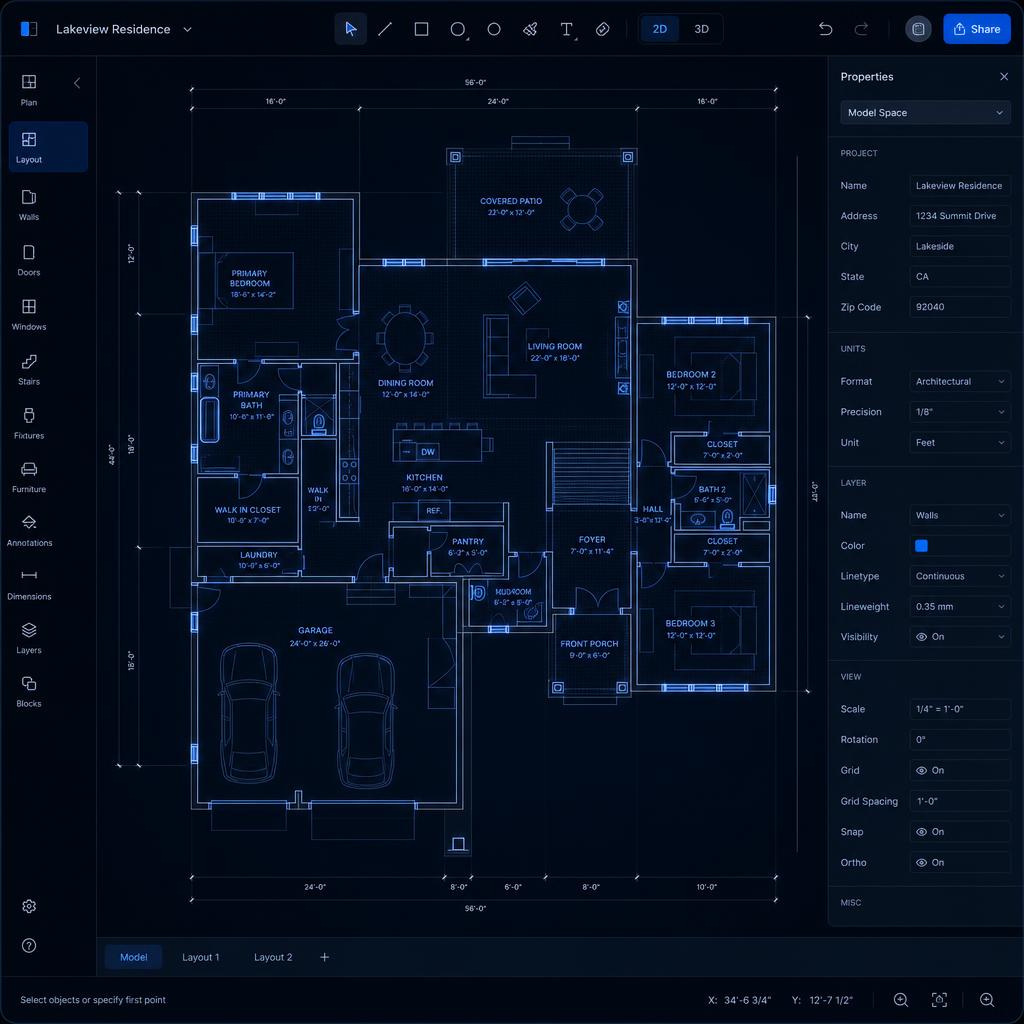
Space I Like keeps it focused: import your floor plan, place furniture, save layouts, and compare. No bloat, no learning curve — just open it and start arranging.
Drag and drop from a full catalog across seating, beds, tables, storage, appliances, and more. Create custom shapes for anything non-standard.
Furniture snaps to a precise 5 cm grid so every piece lands exactly where you intend it.
Manage up to 6 floors per project and organize different spaces seamlessly.
Import DXF files straight from CAD software to bypass drawing walls manually.
Pinch-to-zoom and drag items perfectly on your iPad while standing in the actual room.

Space I Like keeps your layouts in your browser's own storage — no server, no sync, no tracking. Sign in optionally to keep your projects private across devices, or skip it entirely and start planning right now.
It's completely free. Just open it and start drafting.
Plan Your Space — Free